New: LexiCapture 1.0 is here — free screen recorder & video editor for Windows. Download free →
LexiCapture 1.0 is free · Download →
Explore software & WordPress tools from Lexiata Studio. Discover Windows apps, WordPress plugins, themes and creative tools made in Sri Lanka for the world.
[email protected]
NEWVersion 1.0 is out and it is free
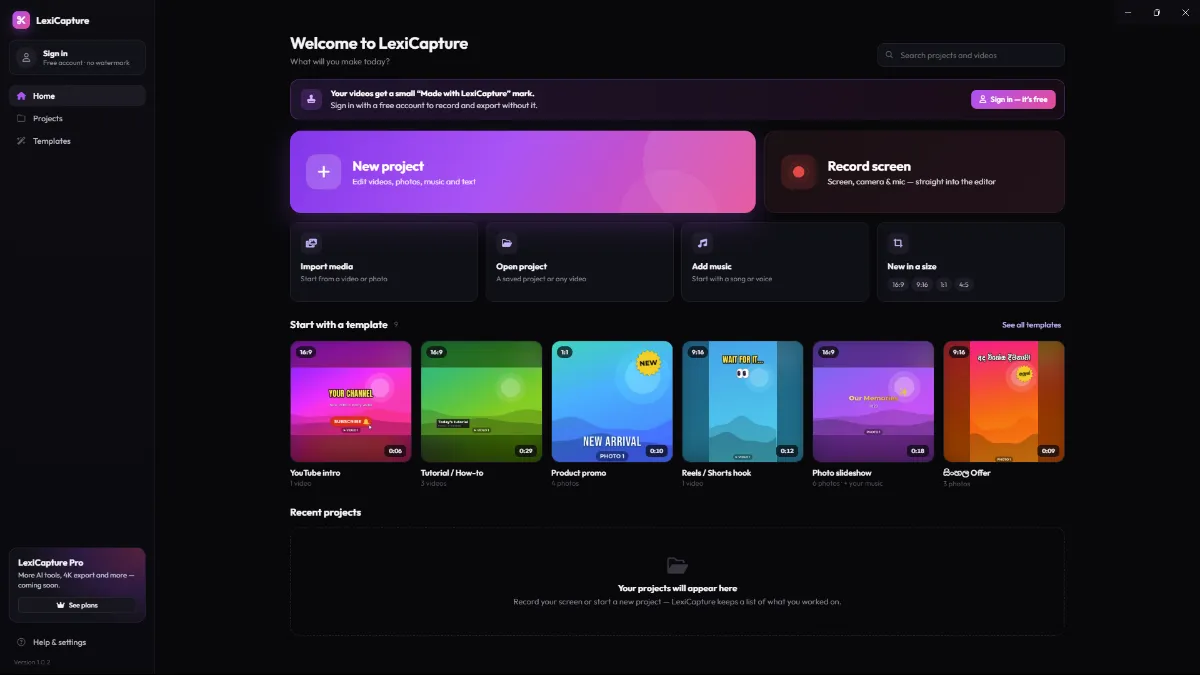
Record your screen, edit like a pro and add Sinhala & English captions automatically. Face blur, background removal and noise removal are built in and there is no watermark with a free account.
Windows 10 & 11 · 64-bit · about 140 MB
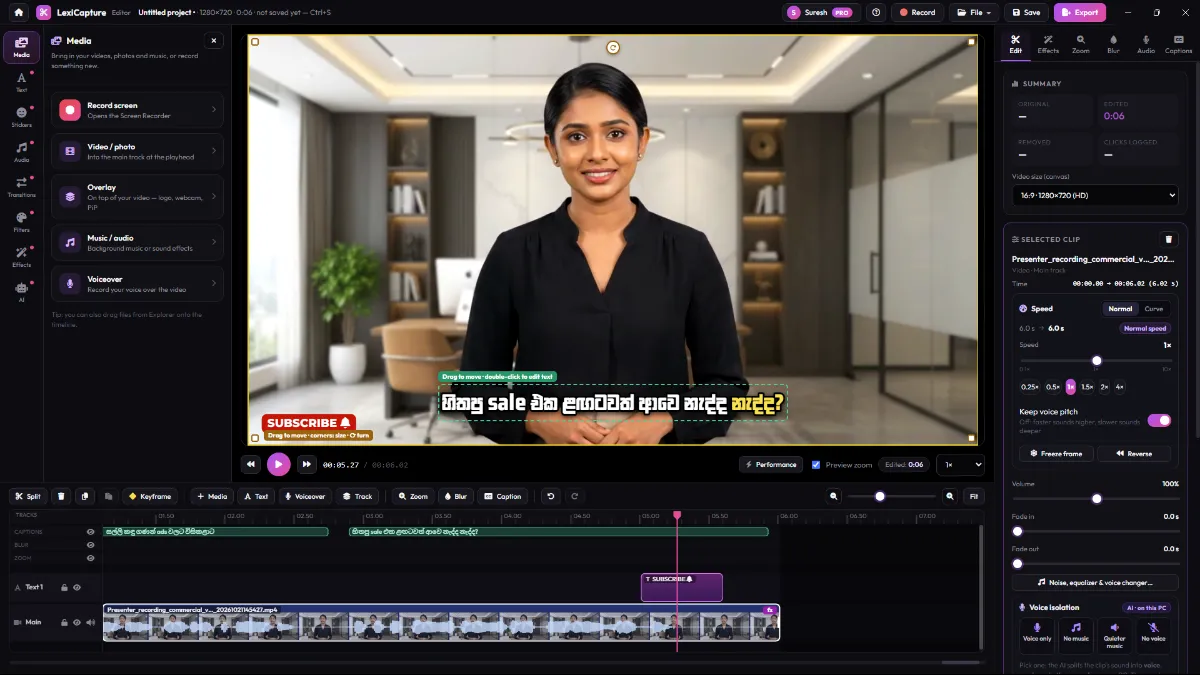
සිංහල + English captions
Face blur
Noise removal
Record, edit, caption and share in one free app that runs on your PC.
Record
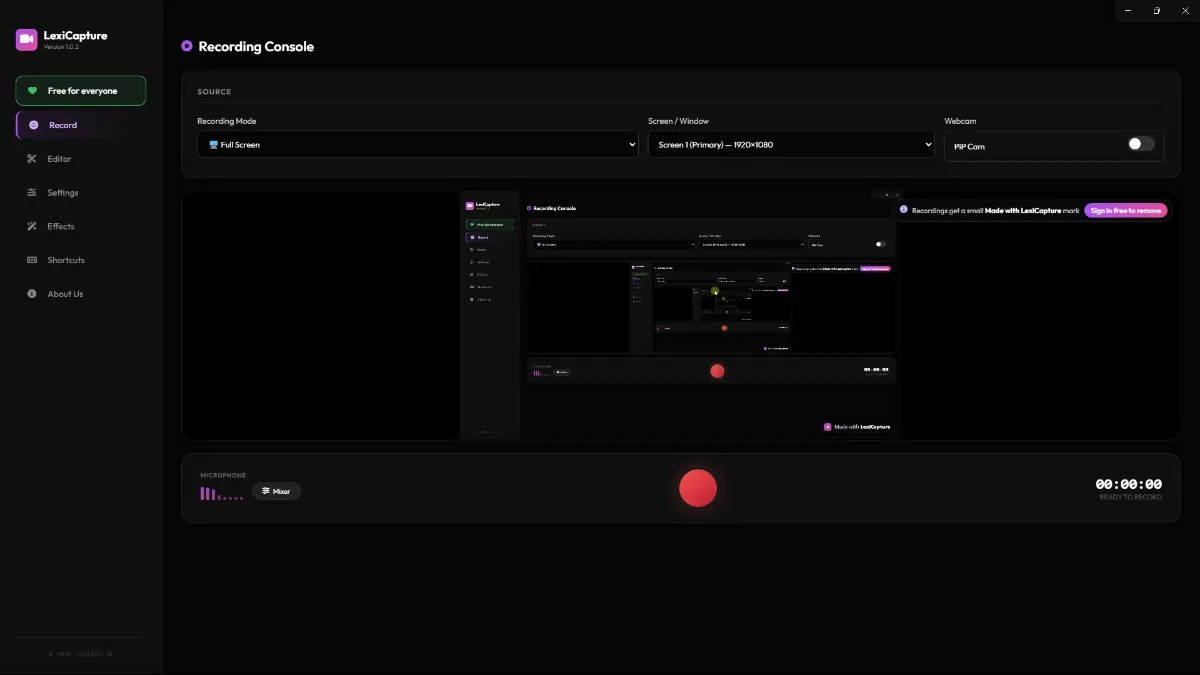
Full screen, one window or just an area. Add your webcam, mic and the computer sound, show your clicks and key strokes and press F9 to start and stop.
Auto zoom
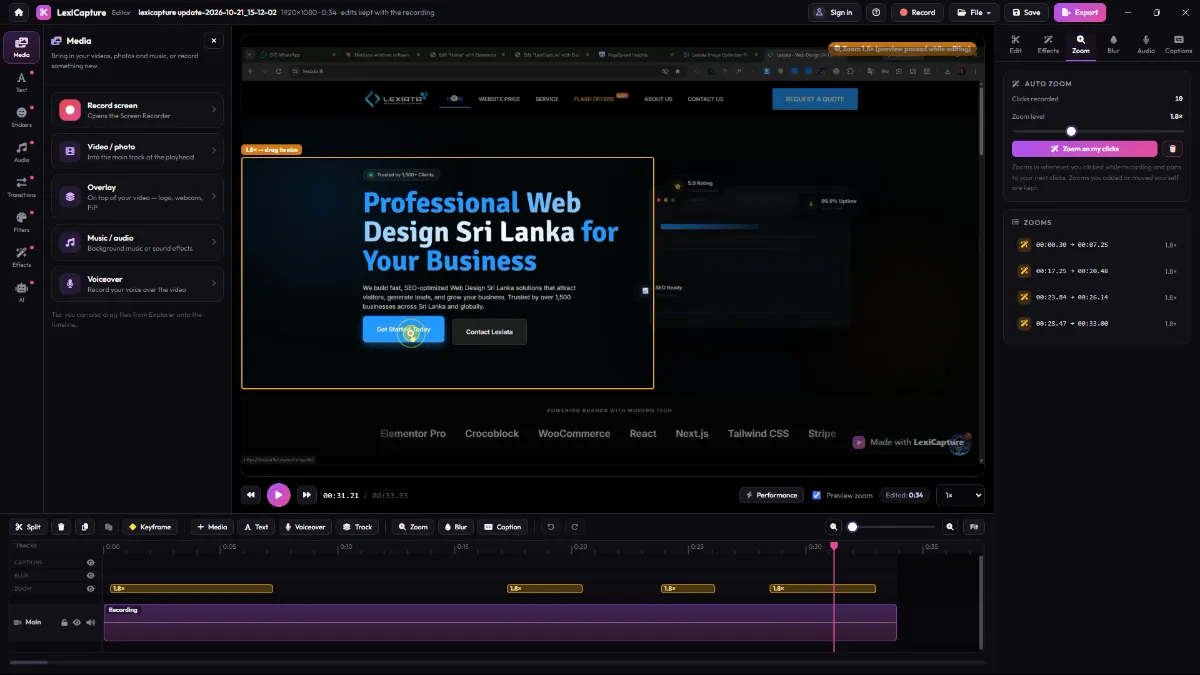
LexiCapture remembers your clicks and zooms in for you, so viewers never miss a detail.
Captions
Auto captions that understand Sinhala offline on your PC, or with Gemini for the best results. Pick a style and highlight the spoken word.
Editor
A multi-track timeline with titles in Sinhala and English, transitions, filters, stickers, music, keyframes and speed control. Everything you would pay for elsewhere.
Blur every face or just the eyes automatically. The blur follows people as they move.
Remove the background from your webcam or any video with AI. No green screen needed.
Clean up your voice: fan, traffic and room noise disappear for a studio-like sound.
Auto reframe to vertical (9:16)Motion trackingVoice isolationMusic auto-duckingSound effectsSpeed, freeze frame & reverseStabilize videoTemplatesStickersTransitionsFiltersKeyframesExport for YouTube, TikTok, Reels & WhatsApp
Many popular editors lock these tools behind a subscription, credits or a watermark. In LexiCapture they are free — and they run on your own PC.
| Feature | LexiCapture | Many other editorsOthers |
|---|---|---|
| Export without a watermark | With a free account | Often paid |
| Auto captions in Sinhala & English | Unlimited · offline | Limited or paid |
| AI background removal | Unlimited · on your PC | Credits or paid |
| Noise removal | Included | Often paid |
| Voice isolation | Included | Often paid |
| Face blur that follows people | Included | Manual or paid |
| Auto reframe to vertical (9:16) | Included | Often paid |
| Screen recorder with auto zoom | Built in | Separate app |
| Your videos stay on your PC | Always | Cloud upload often needed |
| Price | Rs. 0 | Monthly plan |
Other apps change their plans often — check their current prices. The core features of LexiCapture stay free.
Start right away — no sign-up needed. Create a free account when you are ready to export without the watermark.
Step 1
Click Download to get the official LexiCapture installer (about 140 MB). It is free — no card and no sign-up.
Step 2
Open the file, accept the terms, pick a folder and click Install. A LexiCapture shortcut is added to your desktop.
Step 3
Open LexiCapture, choose full screen, an area or a window and press Record. Then add captions, edit and export.
Windows 10 & 11 · 64-bitAbout 140 MBFree updates inside the app
Windows warning?
LexiCapture is new and not code-signed yet, so Windows SmartScreen may show a blue warning the first time you open the installer. This is a normal message for new apps.
Do this only for the installer you downloaded from lexiatastudio.com.
Microsoft Defender SmartScreen prevented an unrecognized app from starting. Running this app might put your PC at risk.
More info1
App: LexiCapture-Setup.exe
Publisher: Unknown publisher
Everything you need to know before you download LexiCapture.
Yes. You can install and use LexiCapture free of charge — for personal and commercial work, on as many of your own PCs as you like. A Pro plan with extra tools (like 4K export) is coming later, but the core features stay free.
Only when you are not signed in. Without an account, recordings and exports get a small “Made with LexiCapture” mark. Create a free account, sign in inside the app, and your videos export without it.
Yes. The videos you make with LexiCapture belong to you, and the licence allows personal and commercial work. Just make sure you have the rights to any music, images or clips that you add yourself.
Yes — Sinhala and English. Make captions offline on your PC (free and private), or use Google Gemini with your own API key for the best Sinhala results. You can edit every line, pick a style and highlight the spoken word.
Yes. Recording, editing and exporting work offline. Offline captions, background removal and voice isolation download their AI model once, the first time you use them. Signing in and online captions (Gemini, OpenAI, ElevenLabs) need internet.
No. Your recordings and projects stay on your PC. Audio leaves your PC only if you choose an online caption service — then the audio is sent to that service to make the captions. LexiCapture sends one anonymous usage count a day (never videos, files, names or emails), and you can turn it off in Settings.
A PC with Windows 10 or 11 (64-bit). The installer is about 140 MB, and the AI models need extra space when you download them (the recommended offline caption model is about 574 MB). There is no Mac version yet.
LexiCapture is new and not code-signed yet, so Windows SmartScreen may warn you the first time. Click More info, then Run anyway — only for the installer you downloaded from lexiatastudio.com. See the picture above.
LexiCapture updates itself. It checks for new versions, downloads them in the background (never while you are recording) and asks you to restart when the update is ready.
In the LexiCapture editor, click Help (?) → Report a problem…. It sends us the details we need to fix it — no videos, audio or API keys. You can also email us at [email protected].
Download LexiCapture and make your first video today — Sinhala & English captions, AI tools and no watermark with a free account.
Windows 10 & 11 · 64-bit · about 140 MB